Local SEO is how a business shows up when nearby customers search, especially in Google’s map results. The essentials are a complete, active Google Business Profile, the same name, address and phone number everywhere online, a steady flow of genuine reviews, and a website with clear service and location pages. Google ranks local results on relevance, distance and prominence.
Updated October 2026: this checklist now also covers our earlier posts on local listings, optimizing your Google Business Profile and local SEO tips.
What Is Local SEO?
Local SEO is the work of making your business visible in searches with local intent, such as “plumber near me” or “dentist in Scottsdale.” Those searches show a map with three businesses (often called the local pack) above the regular results, and the same information feeds Google Maps, Google’s AI Overviews and AI assistants that recommend local businesses. For service businesses and stores, it is often the most valuable visibility you can earn.
How Does Google Rank Local Businesses?
Google says local results are based on three things:
- Relevance: how well your profile and website match what the person searched for.
- Distance: how far your business is from the searcher or the location in the search.
- Prominence: how well known and trusted your business is, based on reviews, links, mentions and your overall web presence.
You cannot change distance, so the checklist below focuses on relevance and prominence.
How Do You Optimize a Google Business Profile?
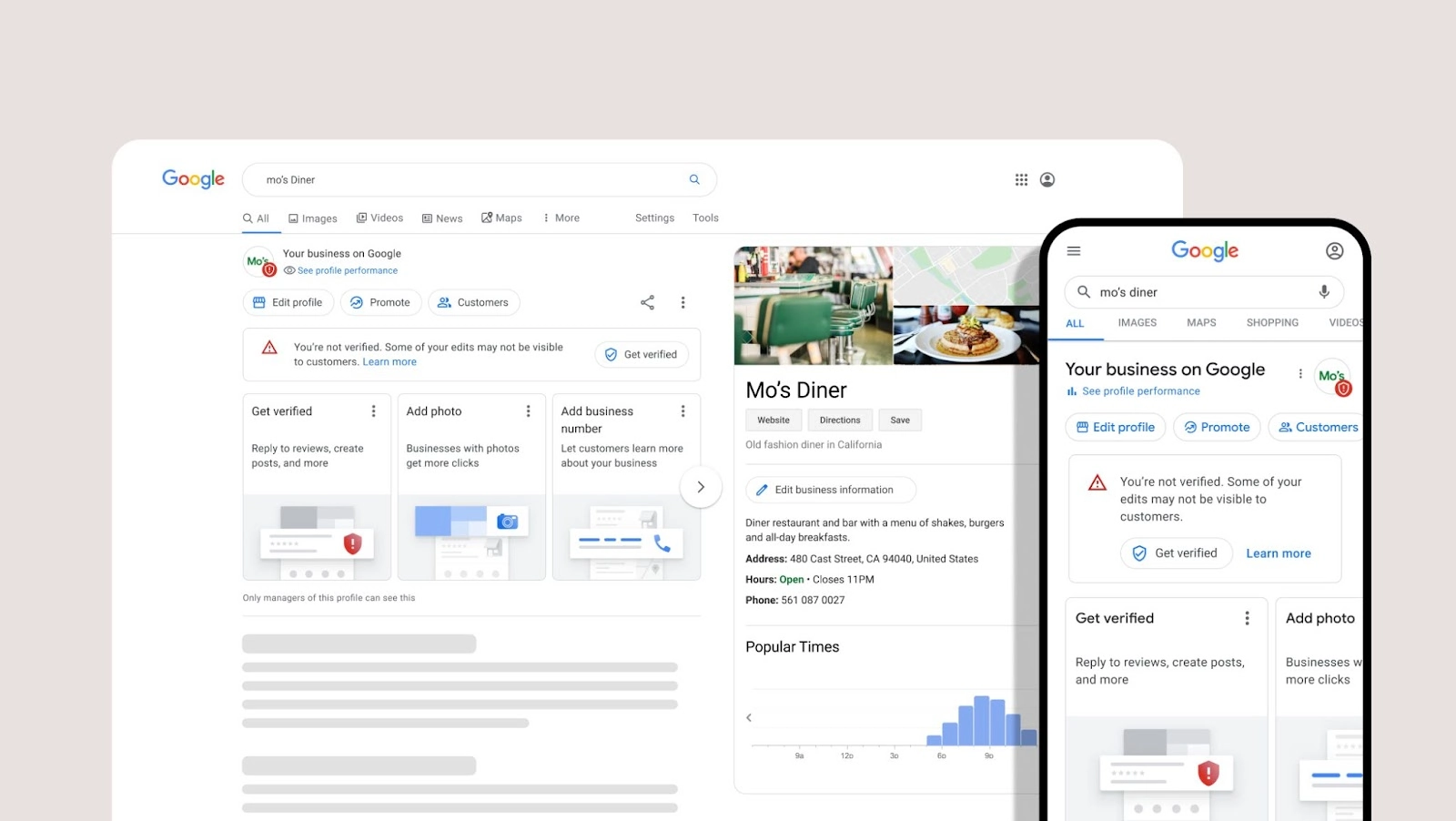
- Claim and verify your profile, and keep the business name exactly as it appears on your signage; adding keywords to the name violates Google’s guidelines.
- Choose the most accurate primary category and add relevant secondary categories.
- Fill in every field: services or products, service areas, hours (including holiday hours), attributes, a description and a link to the most relevant page of your website.
- Add real photos of your team, location, vehicles and work, and keep adding new ones.
- Post updates, offers and events regularly so the profile stays active.
- Track calls, website clicks and direction requests in the profile’s performance report.
Our Google Business Profile management service handles this for you.
Why Do Business Listings and Citations Matter?
Your business name, address and phone number (often called NAP) appear on directories like Bing Places, Apple Business Connect, Yelp, Facebook, industry directories and data aggregators. When those details disagree, search engines and AI tools are less confident about your business, and customers may call an old number or drive to an old address. Audit your listings, fix inconsistencies, remove duplicates, and update every listing when you move or change phone numbers. See our link building and citations service.
How Do You Get More Reviews the Right Way?
- Ask every customer, at the moment they are happiest, with a direct link to your review page.
- Respond to every review, positive and negative, politely and within a few days.
- Do not offer discounts or gifts for reviews, and do not ask only happy customers; both violate Google’s policies, and the FTC’s rule on fake reviews bans buying reviews and suppressing negative ones.
- Encourage customers to mention the service they received, which helps relevance for those searches.
Our reviews and reputation management program makes this a routine.
What Does Your Website Need for Local SEO?
- A dedicated page for each core service, written for the people who buy it.
- Location or service-area pages for the cities you serve, each with genuinely local information rather than the same text with a different city name.
- Your name, address and phone number on every page, matching your Google Business Profile.
- LocalBusiness structured data, an embedded map and clear calls to action.
- Fast, mobile-friendly pages, because most local searches happen on phones.
Do Social Profiles Help Local SEO?
Social profiles do not directly raise map rankings, but they help people find and trust your business, and they appear in search results for your name. Keep your business details consistent on Facebook, Instagram and LinkedIn, and link them to your website and Google Business Profile. For more on how people search on social platforms, see our guide to Instagram SEO.
How Do You Show Up in Local AI Answers?
AI Overviews and AI assistants build local recommendations from the same signals: your Google Business Profile, reviews, consistent listings and clear website content. Our guide to ranking for local SEO in Google’s AI Overviews goes deeper.
Your Local SEO Checklist
- Claim, verify and complete your Google Business Profile.
- Audit and fix your listings on major directories and data aggregators.
- Set up a simple, consistent process for requesting and responding to reviews.
- Build service and location pages with matching business details and LocalBusiness schema.
- Earn local links from chambers of commerce, associations, sponsorships and partners.
- Track calls, direction requests and leads monthly, and adjust.
Want help? See our local SEO services.