A successful small business social media strategy starts with a clear goal, focuses on the one to three platforms your customers actually use, mixes helpful and promotional posts on a steady schedule, and makes time to reply to comments and messages. Measure what drives website visits, calls and sales, and do more of that.
Updated October 2026: this guide now also includes our social media do’s and don’ts and our earlier article on leveraging social media for business growth.

What Can Social Media Do for a Small Business?
- Keep you in front of customers between purchases.
- Help new customers discover you through search, recommendations and shares.
- Show the people, work and personality behind your business, which builds trust.
- Give customers an easy way to ask questions and leave feedback.
- Send visitors to your website, booking page or store.
Organic social media is best at building awareness and relationships; for predictable lead flow, pair it with paid social ads or other channels.
Which Social Media Platforms Should You Use?
Choose platforms by where your customers spend time, not by what is newest. A few common fits:
| Platform | Works especially well for |
|---|---|
| Local businesses, community groups, events and customers 35 and older | |
| Restaurants, retail, beauty, home services and anything visual | |
| TikTok | Reaching younger customers with short, personality-driven video |
| B2B companies, professional services and recruiting | |
| YouTube | How-to, demonstration and review videos that keep getting found |
| Google Business Profile | Posting updates and offers where local searchers see them |
Start with one to three and do them well before adding more.
What Should You Post?
Plan a monthly content calendar that mixes several types of posts, with promotions making up a minority:
- Helpful content: tips, how-tos and answers to common customer questions.
- Proof: reviews, before-and-after photos, project highlights and customer stories, shared with permission.
- Behind the scenes: your team, process and community involvement.
- Timely content: seasonal posts, local events and relevant trends.
- Offers and calls to action: promotions, new products and booking reminders.
Every post should include an image or video, and short vertical video usually reaches the most people.
What Are the Biggest Social Media Do’s and Don’ts?
Do:
- Fill out every profile completely, with consistent business details and a link to your website.
- Use a few relevant hashtags and location tags so people searching nearby can find you.
- Reply to comments, messages and mentions quickly, including negative ones.
- Share and tag partners, local organizations and customers who mention you.
- Use scheduling tools to stay consistent, then check in daily to engage.
- Review your analytics monthly.
Don’t:
- Buy followers or engagement; it damages reach and credibility.
- Post only sales messages.
- Ignore messages; for many customers social media is customer service.
- Spread yourself across every platform with little activity on each.
- Expect organic posts alone to produce a steady stream of leads.
How Do You Measure Social Media Success?
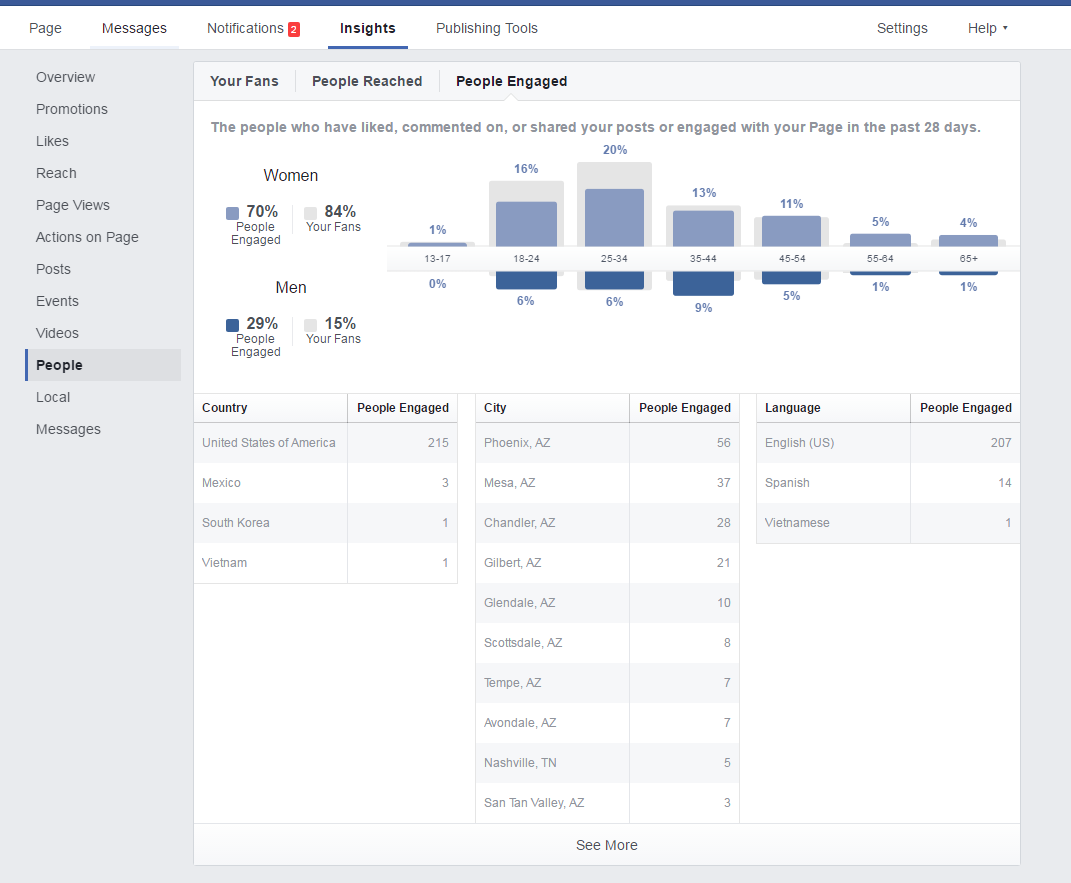
Use each platform’s insights for reach and engagement, but judge success by business results. Add UTM parameters to the links you share so Google Analytics 4 shows how many visitors, calls, form submissions and purchases come from each platform. Track which post types bring those results, and shift your calendar toward them.
How Much Time Does Social Media Take?
For one or two platforms, plan on a few hours a week for planning, creating and scheduling content, plus a few minutes every day to respond to comments and messages. Batch your content creation monthly to save time. If you would rather focus on running your business, our social media management team can plan, create and post for you.