To turn your website into a lead generation machine, give every page one clear next step, make forms short and test them regularly, offer something worth signing up for, and follow up quickly. Then use Google Analytics 4 to find pages where visitors leave without engaging, and fix those first. Small changes to calls to action and forms often produce more leads than more traffic.
Updated October 2026: this guide now also covers our earlier articles on testing website forms, growing your email list from your website and understanding bounce rate.
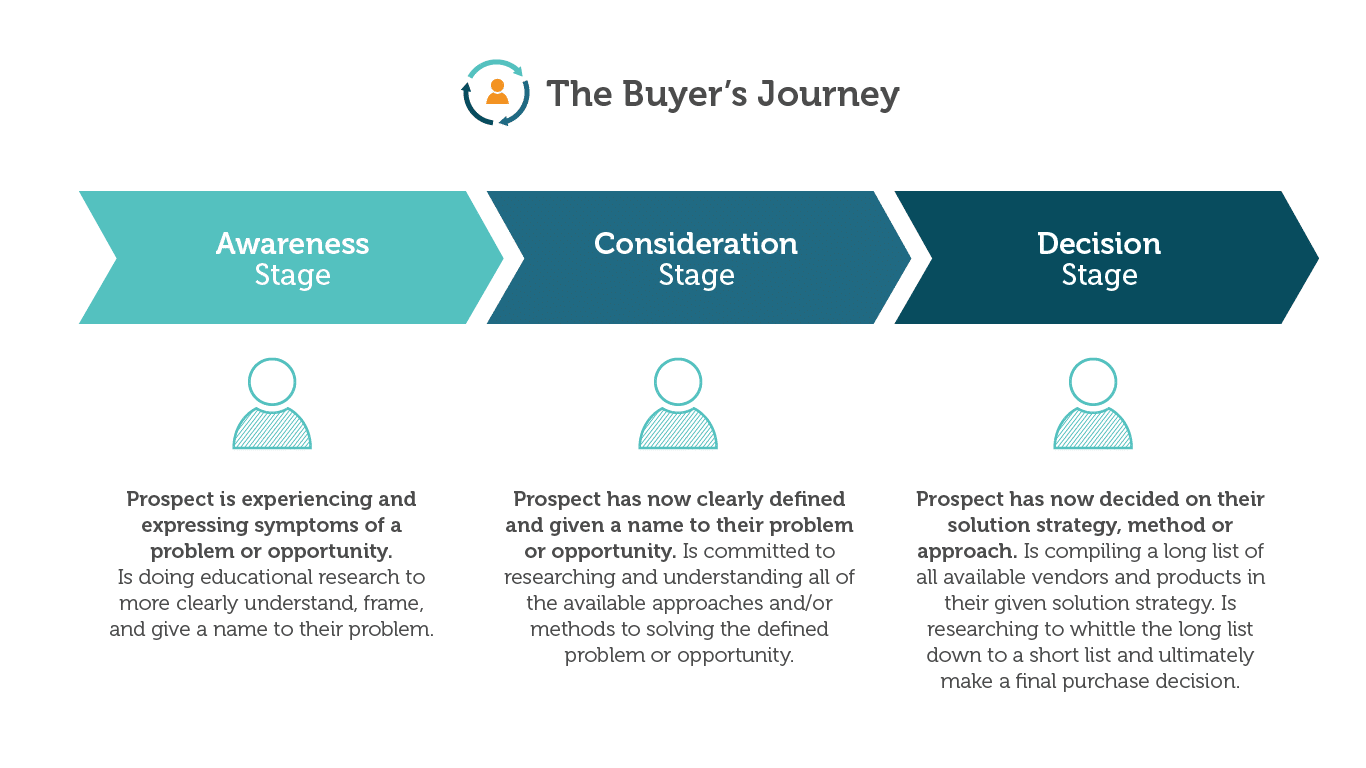
How Do You Map the Path From Visitor to Lead?
Think about the steps a visitor takes before contacting you: they arrive with a question, look for proof that you can help, and then decide how to reach out. Each important page should answer the question that brought people there, show evidence such as reviews and project photos, and point to the next step. Pages without a clear next step are dead ends.
What Makes a Call to Action Work?
- Specific wording: “Get a free quote” or “Book a 15-minute call” works better than “Submit” or “Learn more”.
- Visibility: a contrasting button near the top of the page and again after key sections.
- Right timing: ask for a call on service pages; offer a guide or checklist on early-stage blog posts.
- One main action per page, with a phone number as a secondary option.
- Click-to-call and click-to-text on mobile.
Why Do Website Forms Matter So Much?
Forms are where most website leads arrive, and a broken or frustrating form loses them silently. Good forms also route inquiries to the right person, send an instant confirmation, cut spam and make every lead trackable.

How Should You Test Your Forms?
- Submit every form yourself at least monthly, on desktop and mobile, and confirm the notification arrives.
- Ask only for what you need; every extra field lowers completions.
- Check labels, error messages and the button text for clarity.
- Make sure forms work with a keyboard and screen readers.
- Use spam protection that does not block real people.
- Track submissions as key events in Google Analytics 4 so you know which pages and campaigns produce leads.
How Do You Grow Your Email List From Your Website?
Not every visitor is ready to call, but many will join your list if you give them a reason. Offer something useful in exchange, such as a checklist, a guide, early access to offers or a discount, and place sign-up forms where people already are:
- A footer sign-up on every page.
- A well-timed pop-up that appears after a visitor has read for a while or is about to leave, not immediately.
- Sign-up prompts at the end of blog posts.
- A dedicated sign-up page you can link from social media and email signatures.
Then send a welcome series so new subscribers hear from you while they are still interested. See our email marketing services.

What Does Bounce Rate Tell You About Leads?
In Google Analytics 4, bounce rate is the share of sessions that were not engaged: visits shorter than 10 seconds with no key event and only one page view. A high bounce rate on a service or landing page often means visitors did not find what they expected, the page loaded slowly, or the next step was unclear. Compare each page against its own history and similar pages rather than a universal target, and check that tracking works before drawing conclusions.
What Should Happen After Someone Converts?
- Show a thank-you page that confirms what happens next and offers something useful to read or watch.
- Send an instant confirmation email.
- Respond quickly; the first business to reply often wins the job.
- Route qualified leads to your sales team with the context they need, and follow up with those who are not ready yet through email.
Want more leads from the traffic you already have? Our landing page and conversion optimization team can help.