Q4 is when many businesses spend more on marketing than any other time of year. Google Ads budgets increase, Meta campaigns ramp up, email frequency goes up, and seasonal promotions start driving more traffic to the website. That extra traffic can create the impression that more sales or leads will automatically follow.
In reality, a website that converts poorly during the rest of the year often performs even worse under holiday pressure because visitors move faster, compare more options, and work against tighter deadlines. If your website is converting under 3 percent, the problem may not be traffic. The bigger issue may be what happens after people arrive.
The good news is that you can often improve holiday website conversion without rebuilding the entire site. A focused holiday conversion audit can identify the biggest points of friction and help you get more value from the traffic you are already paying to acquire.
Why Holiday Website Traffic Often Converts Poorly

More traffic does not automatically mean more revenue. A business can increase paid traffic by 50 percent and still see only a small increase in sales if the landing page is slow, the offer is unclear, the site is difficult to use on mobile, or the checkout process creates too much friction.
Holiday visitors also differ from typical website visitors. They may be shopping on shorter timelines, comparing several competitors, checking delivery dates, looking for gift ideas, or trying to schedule services before the end of the year.
That makes speed and clarity more important. If visitors have to work to understand the offer, find shipping information, locate a form, or figure out the next step, they are more likely to leave and keep searching elsewhere.
Start With One Question: What Is the Visitor Supposed to Do?

Every important page should have a clear primary goal. For an ecommerce site, that may be adding a product to the cart or completing a purchase. For a service business, it may be requesting a quote, calling the company, or scheduling an appointment.
Problems start when a page gives visitors too many competing choices. A landing page that asks someone to buy, subscribe to a newsletter, download a guide, follow the company on social media, and request a quote creates unnecessary distraction.
During the holidays, the primary action should be even more obvious. An ecommerce site may use calls to action such as “Shop Holiday Gifts,” “Order Before Christmas,” or “Shop In-Stock Products.” A service business may use “Schedule Before Year-End,” “Request a Holiday Quote,” or “Book Your January Project.”
The visitor should understand the next step without having to think about it.
Fix the First Screen Visitors See
The first section of a page does much of the conversion work. Visitors should quickly understand what you sell, who it is for, why they should choose you, and what they should do next.
Generic headlines waste this opportunity. Phrases such as “Quality You Can Trust” or “Solutions for Your Needs” do not tell the visitor enough to help them decide.
Holiday traffic often responds better to more direct messaging. Depending on the business, the top of the page may need to highlight holiday shipping deadlines, gift options, seasonal offers, local pickup, remaining appointment availability, or year-end scheduling.
Make important information visible immediately, not buried several sections down the page.
Improve Mobile Conversion Before Holiday Traffic Peaks

Much holiday traffic comes from phones. Visitors may arrive through social ads, Google searches, email campaigns, or text messages, so the mobile experience can directly affect whether your Q4 advertising delivers a return.
Test the full customer journey on a real phone. Review navigation, button size, text readability, image scaling, forms, checkout, and click-to-call functionality.
Small problems matter. A button that is hard to tap, a form field that does not display correctly, or a checkout page that feels cramped can cause visitors to abandon the process.
Do not assume the mobile site works simply because the desktop version looks good. If the experience feels dated or awkward on a phone, it may be worth asking whether it is time to redesign your website.
Page Speed Can Cost Holiday Conversions
Slow pages create friction before visitors even see the offer. Large images, unnecessary scripts, oversized videos, plugins, tracking tools, and poorly optimized themes can all slow a website down. Even your hosting environment can affect how quickly pages load.
This matters even more on mobile connections. Focus on the pages that receive the most holiday traffic, including the homepage, paid landing pages, product pages, cart, checkout, and lead forms.
Holiday design elements can hurt performance if you do not handle them carefully. Large background videos, multiple popups, animated snow effects, oversized promotional banners, and extra tracking scripts may look seasonal, but they can also slow the site and make it harder to use.
The priority should be making it easy to buy or inquire.
Match the Website Message to the Ad or Email

One of the easiest ways to lose a visitor is to send them to a page that does not match the message they clicked. If a Google Ad promotes “20% Off Holiday Gifts” and the visitor lands on a generic homepage with no mention of the promotion, they may assume the offer is gone or the link was incorrect. That mismatch is one of the most common reasons ads are not converting.
The landing page should continue the same conversation. Carry the same offer, product category, headline, and basic value proposition from the ad or email onto the destination page.
Dedicated holiday landing pages can be especially useful for Black Friday, Cyber Monday, gift campaigns, year-end promotions, or January booking offers. The more specific the campaign, the more specific the landing page should be.
Remove Friction From Ecommerce Checkout
Cart abandonment is already extremely high across ecommerce, and holiday shoppers tend to have even less patience for unnecessary steps. If checkout feels slow, confusing, or unpredictable, customers can easily leave and buy from a competitor.
Review whether guest checkout is available and reduce the number of form fields wherever possible. Requiring an account before buying can create an unnecessary barrier, especially for a first-time holiday shopper.
Make error messages clear and make sure customers do not have to re-enter the entire form if one field is wrong. Also show the total cost early so unexpected shipping charges, fees, or other costs do not appear at the last second.
The closer a shopper gets to checkout, the fewer surprises they should encounter.
Make Shipping and Availability Easy to Find

One of the most important holiday conversion questions is simple: will I get this in time? If you sell products, display shipping deadlines clearly and show expected delivery windows, local pickup options, stock status, and backorder information where shoppers can see it before checkout.
Do not force visitors to hunt through a shipping policy page. Timing is part of the purchase decision during the holidays, so treat it as conversion information.
Service businesses have their own version of this problem. Visitors may want to know whether you have December availability, when you will close for the holidays, or whether January appointments are already filling up.
If timing matters to the decision, make it easy to find.
Add Trust Where Visitors Need It
Holiday shoppers often decide faster, but they still need confidence. Place relevant trust signals close to the point of conversion.
That can include reviews, ratings, testimonials, guarantees, return policies, years in business, secure payment information, licensing, or certifications. The strongest trust signals match the action the visitor is considering.
Do not hide important policies. For ecommerce, make returns, exchanges, and shipping expectations easy to understand. For service businesses, clarify the service area, scheduling process, licensing, and estimate process.
Every unanswered question creates another reason to delay.
Product Pages Need More Than a Photo and Price
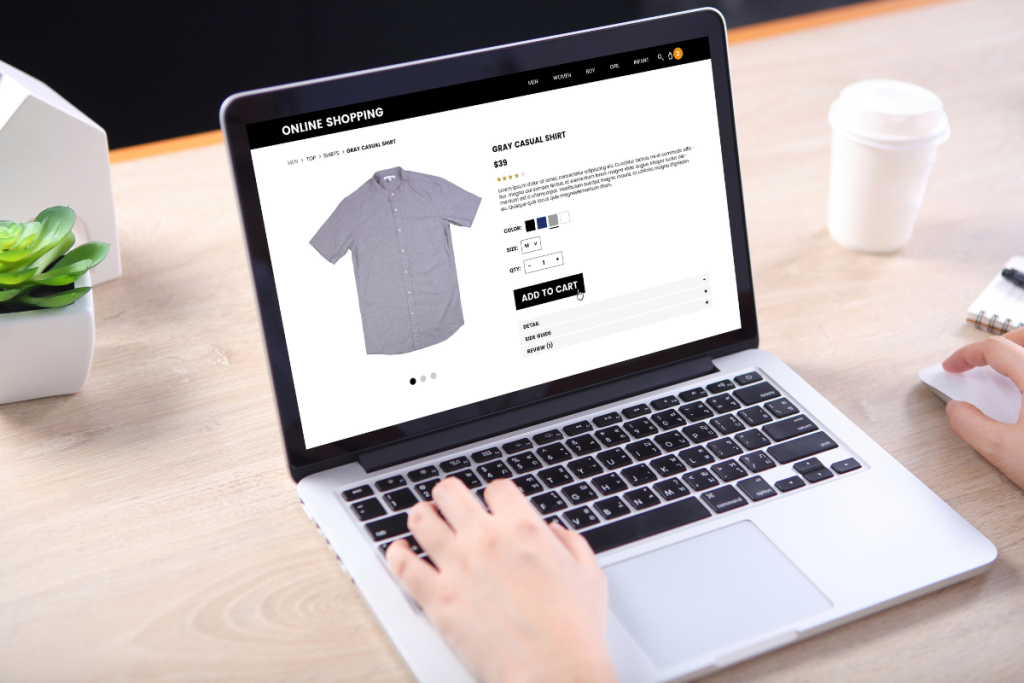
Weak product pages create unnecessary hesitation. A good product page should answer the questions a shopper is likely to have before they need to go back to Google. Adding structured data to those pages also helps search engines show accurate price, availability, and review information.
That may include dimensions, materials, compatibility, benefits, shipping expectations, return information, availability, and FAQs. The more complete the product information is, the less work the shopper has to do.
Holiday merchandising can also make the decision easier. Consider temporary collections such as “Gifts Under $50,” “Most Popular Gifts,” “Ready to Ship,” or “Gifts for Homeowners.”
The goal is to reduce how much searching a visitor has to do.
Service Businesses Need Better Lead Forms
Lead-generation websites often lose conversions because forms ask for too much information too early. Review every field and ask whether it is truly necessary for the initial inquiry. The same principle applies when you are trying to turn your website into a lead generation machine.
For many service businesses, name, contact information, service needed, and a short message may be enough to start the conversation. Additional details can be collected later.
Also give visitors more than one way to convert when it makes sense. Some people prefer to submit a form, while others want to call, text, or schedule online.
During the holidays, convenience can make the difference between a completed inquiry and a lost lead.
Use Calls to Action Throughout Long Pages
Do not make someone scroll all the way back to the top of the page to take action. Place calls to action after important decision-making sections, such as benefits, testimonials, pricing, or FAQs.
Keep the wording consistent so the visitor understands what will happen when they click. Repeated calls to action should reinforce the same primary conversion goal, not introduce new choices.
Sticky mobile buttons can also work well for actions such as calling, scheduling, or adding to cart. The key is to keep them useful without covering too much of the screen.
Use Social Proof More Strategically
Not all testimonials are equally persuasive. Generic reviews such as “Great company” are better than nothing, but specific experiences are much stronger.
Look for testimonials that mention fast shipping, responsive service, easy ordering, professional installation, good communication, or another detail directly related to the buying decision. Specific proof helps reduce uncertainty because the visitor can picture the experience.
Match the proof to the page. Use product reviews on product pages, and customer testimonials on service pages.
Relevant proof is more persuasive than a generic testimonials section used everywhere.
Avoid Holiday Popup Overload
Holiday websites can become crowded very quickly. A visitor may see a cookie banner, email signup popup, discount offer, chat window, and SMS signup before they have even had a chance to read the page.
That is especially frustrating on mobile. Too many interruptions can make the site feel difficult to use before the visitor even understands the offer.
Choose the highest-value interruption and prioritize it. If the holiday discount is the main offer, lead with that and delay lower-priority popups.
Every popup competes for attention, so adding more does not automatically improve conversion.
Review Navigation for Holiday Shoppers
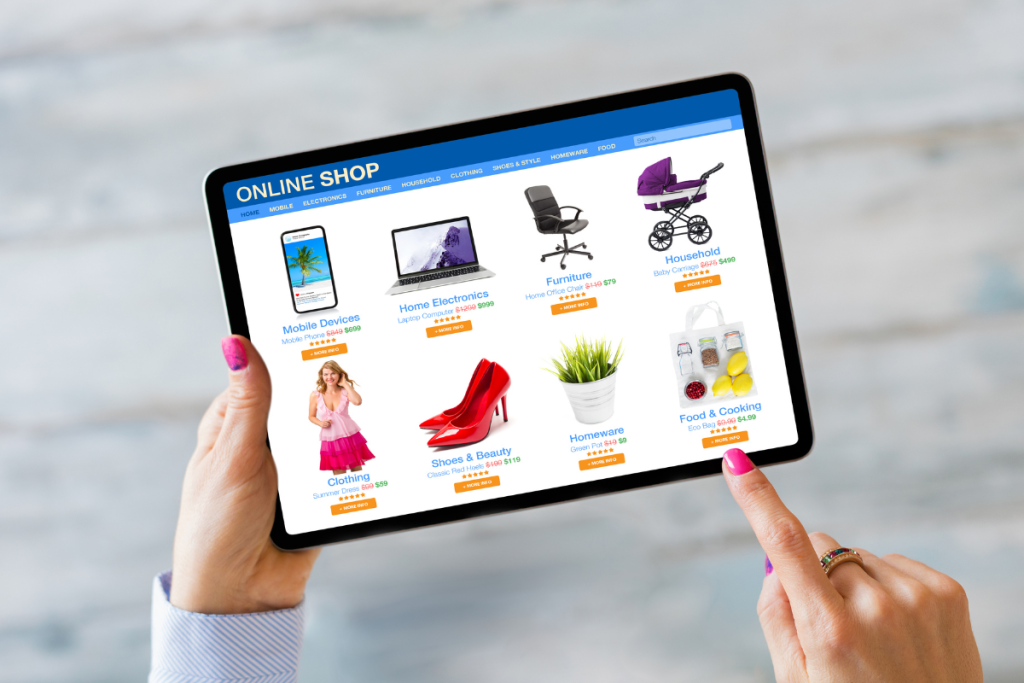
Seasonal demand changes what visitors want. Temporary navigation options can speed up the holiday shopping process.
Depending on the site, that may include links to Holiday Gifts, Gift Cards, In Stock, Black Friday, or Sale. These links should help visitors reach the most relevant seasonal categories with fewer clicks.
Keep the navigation simple. Adding too many seasonal categories can create the same confusion you were trying to solve.
Prioritize the categories that directly support Q4 demand.
Use Real Scarcity, Not Fake Urgency
Holiday deadlines can help visitors make decisions. Real examples include an order-by date for Christmas delivery, a limited number of December appointments, or a promotion with a clear end date.
Specific information helps customers plan and gives them a legitimate reason to act sooner. That differs from manufactured pressure.
Avoid countdown timers that constantly reset or claims that inventory is almost gone when it is not. Short-term pressure may generate clicks, but questionable urgency can damage trust.
Test Forms and Checkout Error Handling
Conversion problems often appear when something goes wrong. Test invalid cards, expired promo codes, missing fields, incorrect ZIP codes, and other common errors.
The site should clearly explain what to correct. Vague messages such as “There was a problem” force the customer to figure out the issue themselves.
Entered information should also remain in place whenever possible. Making someone refill an entire checkout or lead form because of one small error increases the likelihood that they will leave.
Make Payment Easy
The payment stage is one of the highest-friction moments in ecommerce. Use familiar payment options and keep the page simple.
Major credit cards, digital wallets, and express checkout options can reduce effort for shoppers who are ready to buy. The customer should see the full total clearly and understand exactly what they are paying for.
This is not the place for unnecessary surprises or confusing design.
Use Analytics to Find Where Visitors Are Leaving

Do not rely only on the overall conversion rate. Look at the funnel in Google Analytics to see where people drop off.
For ecommerce, review landing-page visits, product views, add-to-cart activity, checkout starts, and purchases. For lead generation, look at landing-page visits, CTA clicks, form starts, form completions, phone calls, and booked appointments.
Compare mobile and desktop performance. If mobile conversion is dramatically weaker, the issue may be usability rather than the offer.
Also compare traffic sources. Google Ads traffic, organic search, Meta Ads, email, and direct traffic can all behave differently, and low conversion rates can sometimes stem from poor traffic quality rather than the website itself.
Do Not Judge Conversion Rate in Isolation
The idea that every website should convert at 3 percent or higher is too simplistic. Conversion rates vary by industry, traffic source, device, price point, customer intent, and the type of conversion being measured.
Branded search traffic may convert much better than cold social traffic, while existing customers may behave very differently from first-time visitors. A blended sitewide conversion rate can hide these important differences.
A more useful approach is to compare current performance against your own historical data and evaluate what happens to revenue or lead quality. For ecommerce, look at revenue per visitor, average order value, and checkout completion.
For lead-generation sites, look at cost per qualified lead, appointment rate, and close rate. A higher conversion rate has limited value if the leads are poor, which is also part of maximizing your marketing dollars.
Run a Holiday Conversion Audit Before Increasing Ad Spend
Before raising Q4 budgets, review the pages that already receive the most qualified traffic. Start with the homepage, paid landing pages, top service pages, best-selling product pages, cart, checkout, and contact forms.
Then test the entire journey. Click your own Google Ads, open your promotional emails, and follow a Meta ad from your phone.
Move through the site exactly the way a customer would. You will often find friction that is easy to miss when looking at the website from an internal perspective. A structured website audit makes it easier to prioritize what to fix first.
A Practical Holiday Conversion Checklist
Before Black Friday and Cyber Monday, confirm seasonal offers, test landing pages, check forms and checkout, review mobile performance, check page speed, and verify conversion tracking. These areas are most likely to cause immediate problems as traffic increases.
Before December shopping peaks, update shipping deadlines, highlight in-stock items, review inventory messaging, confirm service availability, and make sure customer-service hours are current. Visitors should be able to tell quickly whether you can still meet their holiday timeline.
As final shipping deadlines approach, shift the strategy. Promote local pickup, gift cards, digital products, services, or January appointments when physical products can no longer arrive in time. Our holiday omnichannel marketing guide and holiday email marketing guide cover how to coordinate those messages across channels.
Remove expired seasonal messaging quickly. Nothing hurts confidence faster than clicking a holiday offer that ended several days ago.
Common Holiday Conversion Mistakes

One of the biggest mistakes is sending highly specific paid traffic to a generic homepage. Another is hiding shipping deadlines or making visitors search for the promotion they clicked.
Businesses also lose conversions by ignoring mobile checkout, keeping expired promotions live, or increasing ad spend before fixing obvious website problems. These issues become more expensive when Q4 budgets increase.
More traffic magnifies whatever is already happening on the site. If the experience is strong, increased traffic can create more revenue. If the experience is weak, increased traffic can simply create more wasted spend. Planning ahead with the right holiday marketing strategies helps you avoid paying for traffic the site cannot convert.
Frequently Asked Questions
Make Your Holiday Traffic Work Harder

Q4 marketing success depends on what happens after someone clicks. Businesses can spend more on ads, email, and social campaigns, but a weak website can still prevent that traffic from turning into revenue or qualified leads.
Clear seasonal messaging, fast mobile pages, stronger calls to action, better trust signals, easier forms, and a smoother checkout can all improve the value of the traffic you already have. Holiday conversion optimization should happen before peak traffic arrives.
Fix the friction first, then increase the traffic.
Get Your Website Ready Before Holiday Traffic Peaks
SP Marketing Experts helps businesses improve website performance, landing pages, SEO, paid search, analytics, conversion tracking, and digital campaign strategy. If you plan to increase advertising during Black Friday, Cyber Monday, Christmas, or year-end promotions, it is worth reviewing your website before you increase the budget.
A conversion audit can identify where visitors drop off and which improvements to prioritize first. Contact SP Marketing Experts to request a website and conversion review before your holiday campaigns peak.